
The last part of the setup is to be able to access this all away from home. When I am connected to my home network it is easy to connect between devices as it is simple to just type in another computer’s IP and start watching the media. When you want to connect from outside the house, it gets more complicated. You need to tell your device to connect to your house’s IP address, and then tell it to route your traffic to a certain computer in the house. This sounds easy, just open a port on your router that goes straight to the computer you want to connect to. This could work, but there is one downfall, your house network IP is most likely a dynamic IP. There are two types of IP’s assigned by your ISP (Internet Service Provider), dynamic and static. I won’t get too much into the difference between the two, but if you don’t know the difference it most likely is dynamic as static most of the time costs extra money. What this means, given the name dynamic, it has the ability to change. The frequency of change could be in a month, or a year, or possible never in the time you have the IP. All it means is that it can change. So clearly, giving an address to someone that is always changing is not the best thing to do. One solution to this is to use an IP address tracker. Essentially how this works is, I installed a program on Debbie that pings out into the world, and another computer receives it. Now that computer is able to reverse trace it and see where the ping came from and assigns a website link to it. In this case I use a free service called Duck DNS (DNS standing for domain name system), which tracks my house’s dynamic IP address. So instead of this changing series of numbers like 12.123.123.123 it makes it into [name].duck-dns.org. So every time you go to [name].duck-dns.org it goes to my houses IP. Essentially it takes the domain name, and turns it into an IP address, which is exactly what a domain name system does.

So now we have solved the issue of giving the right address, you could set it up where you just open a port on your router and let the traffic come in. Lets use an example case of, 12.123.123.123:4444. What this means is your IP address, 12.123.123.123, and then through a port, or you can think of it as a pathway number, 4444. Lets say on my computer I set up port 4444 to be plex, so now anyone with that address is able to access Plex! However, there are some security flaws with this.
- You open up a hole in your router for others to access. Anyone with your IP address and that port can access the program. Of course, you can have a password to protect the program you are hiding, but it is better to not let other people in the world have access to this. It is common for hackers to set up bots to scan the world for people with open ports and then begin to brute force guess passwords.
- The internet traffic leaving and coming into your house is not encrypted. This means that anyone who intercepts it can directly read what you are sending. So let’s say you password protected the program you are port forwarding. What good does that do if the next time you send it, someone was able to intercept and have the password for themselves?
Again, this is all to protect some movies and TV shows that I have, but it is not difficult to set up some extra security so why not? What letsencrypt does it let you encrypt your traffic for free. This is the difference of going to a website and chrome saying “not secure” versus giving you the green lock sign.
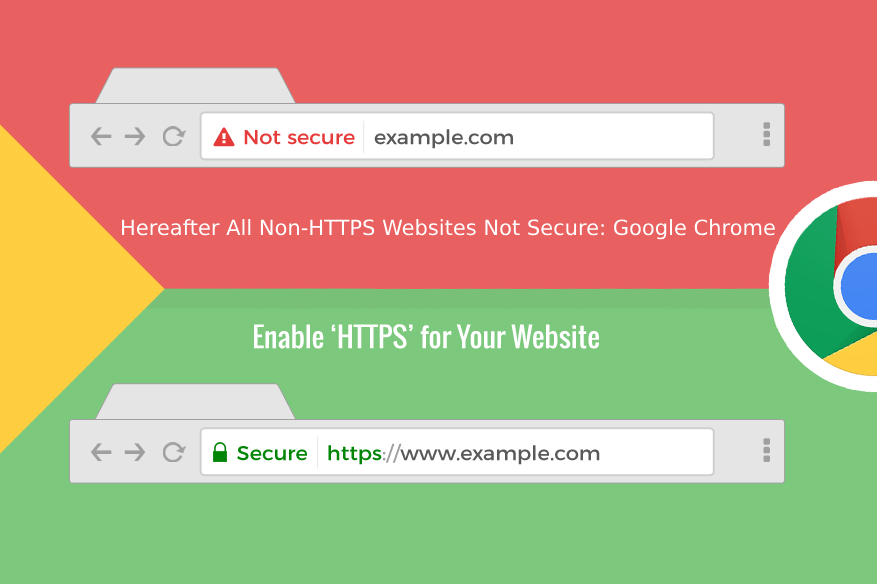
Essentially, to encrypt the traffic you need an SSL certificate. Think of it as the key that locks up your internet traffic. It is a very long key…as in 256 bits long…(115,792,089,237,316,195,423,570,985,008,687,907,853,269,984,665,640,564,039,457,584,007,913,129,
639,936 combinations). This number is larger than the number of atoms in the percivable universe. Even with the world’s most powerful computer right now, would take millions of years to guess it, and it would cost more than the world’s GDP multiple times over to do so. SHA-256 encryption is the standard for major businesses and almost all websites around the world. Best of all, it can be done for free with letsencrypt. Normally you have to pay for an SSL-Certificate, but letsencrypt will simply renew one every 90 days for you. This prevents if someone was able to get a hold of it, it would not be valid once it changes.

The last part to Letsencrypt is a reverse proxy. What a reverse proxy, in this case ran by NGINX, does is it hides the exact location that the internet traffic is going to.

Using the diagram above, how this works is that NGINX is able to handle redirecting the traffic to individual ports. The client is an outside device, your laptop, phone, etc. Now let us say it wants to connect to port 8989 which is what your Sonarr is hosted on. Normally as I have previously mentioned, you would open port 8989 on your router and it would work. Also as I said before was that opening ports are not a good thing, you want to minimize the number of ports you have open. What NGINX allows me to do is only open port 443 to listen for incoming traffic and NGINX will be able to handle directing it to the correct location.
Using a combination of the two dockers, I am able to securely get access to my server from outside my network, while minimizing the risks I take on by opening my home network to the public.
 Tyler's Life